Product labels and barcodes, made from your recipes.
Pick a product and its label is already filled in: the name, the ingredient list from your recipe, the net weight in ounces and grams, your logo and your barcode. Choose an Avery size and print.
Labels are on Maker ($15 a month) and up; barcodes on Pro. Try any paid plan free for 14 days, no card needed.
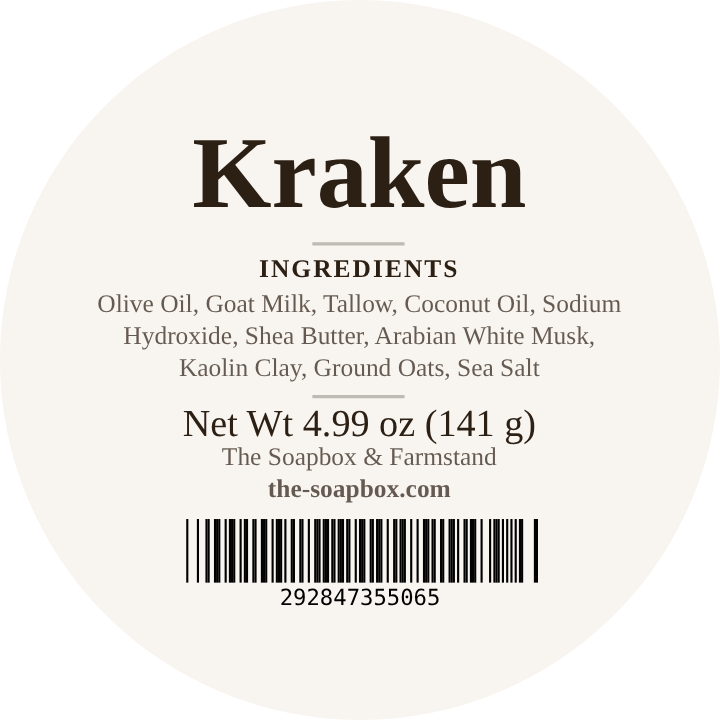
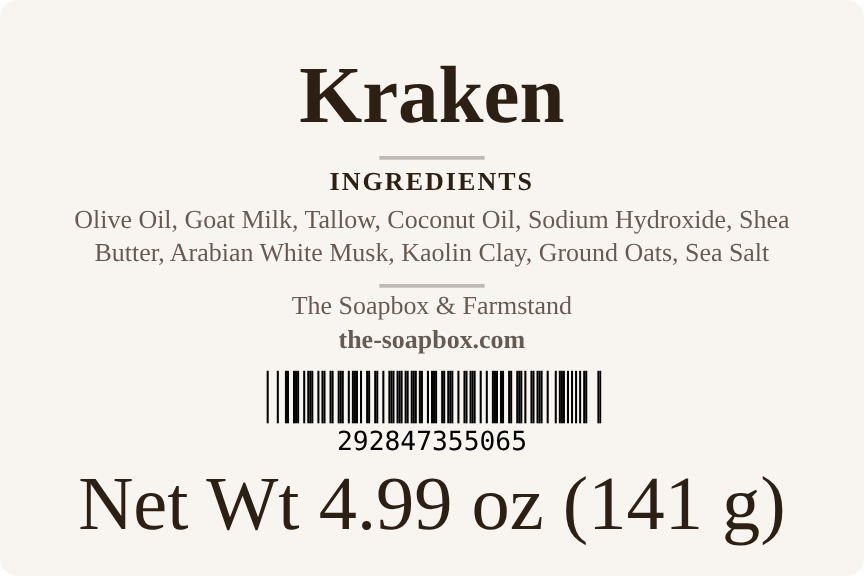
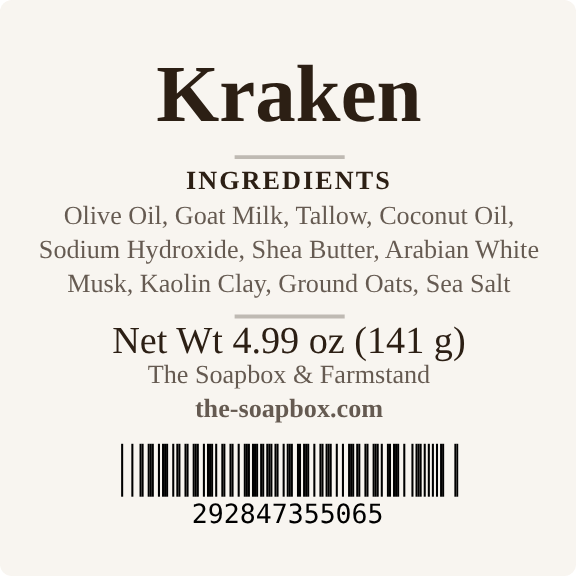
You already typed it once. Don't type it again.
Most makers build labels in a design app and retype every ingredient list by hand. Change a recipe and every label has to be fixed. In CraftWiseApp the label reads from the product, so it stays in step with what you actually make.
Ingredients fill themselves in
The list is built from your recipe: the main ingredients from most to least, then fragrance, additives, colorants and toppings, with duplicates removed. Want different wording? Save your own list on the product and the label uses that instead.
Net weight, sized for you
Net weight prints in ounces and grams. CraftWiseApp sizes that text using the minimum type heights in the FDA and FTC rules for the size of the label, so it doesn't end up too small.
Your brand on every label
Your logo, business name and website come from your business profile. Pick a font or upload your own, choose colors or black and white, and save it as your default so every label starts from your design.
Four steps from product to printed sheet
Pick a product. Its name, ingredients, net weight and barcode are already there.
Choose an Avery size. Rounds, squares and rectangles from ¾" up to 3½" × 5", matched to Avery's own templates.
Choose what prints. Name, ingredients, net weight, logo, business name, address, website, SKU and barcode. On rectangles and squares, use one centered stack or two columns.
Print the sheet. The layout follows the Avery template so labels line up. Using a half-used sheet? Tap the spots you've already peeled off and printing skips them.
Twelve Avery sizes, from bars to bottles
Each size is laid out from Avery's official template for that product number.
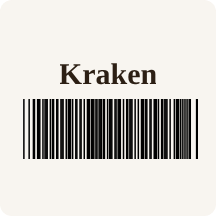
A barcode for every product, in one tap
Scan products at your market register, in your own point of sale or in Shopify without buying a barcode program.
- Generate one, or all that are missing. CraftWiseApp never repeats a number across your products.
- Two formats: a standard 12-digit UPC-A barcode, or a shorter 8-digit number for small labels.
- Prints on your labels, sized to stay scannable, including tiny name-and-barcode labels.
- Goes to Shopify when you push a product, and the Shopify inventory check flags any that don't match.
- Already bought barcodes? Type in your own number instead.
A big head start, not a legal sign-off
CraftWiseApp prints the information you choose, built from your own product details. It doesn't check your labels against labeling regulations, and what's required depends on your product. True soap, cosmetics and products that make drug claims each follow different rules.
Before you print a big run, read the FDA's Cosmetics Labeling Guide and Frequently Asked Questions on Soap, and check any state rules that apply to you.
Labels on Maker. Barcodes on Pro.
Every paid plan has a 14-day free trial with no card required.
- Label designer, all 12 Avery sizes
- AI photo enhancement
- 150 products, 60 recipes
- Unlimited events
- Everything in Maker
- Barcodes
- Shopify
- 300 products, 100 recipes
- Everything in Pro
- Unlimited products and recipes
- Make-day plans
- Full reporting
Stop retyping ingredient lists.
Set up a product once and its label is ready whenever you need a new sheet.
Questions makers ask
Will my labels be compliant?
CraftWiseApp prints what you choose, including the ingredient list from your recipe, and sizes the net weight for the label. It doesn't check labels against regulations, so review the rules that apply to your products before printing.
Can I change the ingredient wording?
Yes. By default the list is built from your recipe. Save your own ingredient list on the product, such as the exact names you want printed, and the label uses it instead.
Which labels do I buy?
Any of the 12 Avery products listed above, or a label with the same layout. Each size is set up from Avery's official template for that product number.
Are the barcodes real UPCs?
They're standard UPC-A barcodes that scan anywhere, numbered in the "2" range meant for a store's own use. They aren't registered with GS1, so if a retailer or wholesaler requires GS1 barcodes, buy them from GS1 US and type them in.
Can I use my own logo and font?
Yes. Your logo comes from your business profile, in small, medium or large. Choose from the built-in fonts or upload your own font file.
Which plan do I need?
Labels are on Maker ($15 a month) and up. Barcodes are on Pro ($35 a month) and up. Every paid plan has a 14-day free trial with no card required.